Wan 2.2 - Wan AI Video Creator
업데이트 날짜
현재 버전
2.2
제공자

작은 휴대폰 화면에서 앱 사용에 지치셨나요? MEmu Play를 사용하면 큰 화면에서 앱을 경험할 수 있습니다! MEmu Play의 키보드와 마우스 기능은 앱의 숨겨진 잠재력을 깨워줍니다. 컴퓨터에 Wan 2.2 - Wan AI Video Creator 앱을 다운로드하고 설치하면 배터리 수명이나 과열 걱정 없이 좋아하는 앱을 즐길 수 있습니다. MEmu Play를 사용하면 컴퓨터에서 앱을 쉽게 사용할 수 있으며, 언제나 고품질 경험을 보장합니다!
더보기
MEmu Play로 PC에서 Wan 2.2 - Wan AI Video Creator 을 사용하는 최고의 경험을 즐겨보세요. 강력한 무료 안드로이드 에뮬레이터로, 데스크톱 버전에서 수천 개의 안드로이드 앱을 사용할 수 있습니다. 친구들과 소통하고 더욱 효율적으로 작업물을 다듬어 보세요! Wan 2.
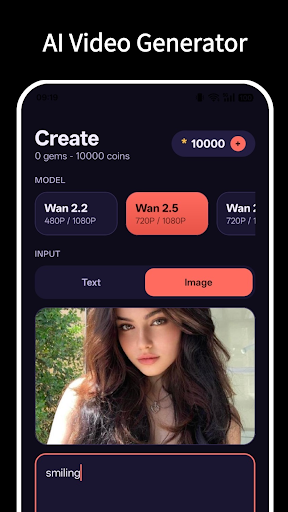
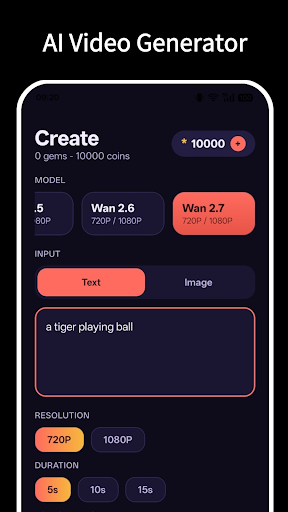
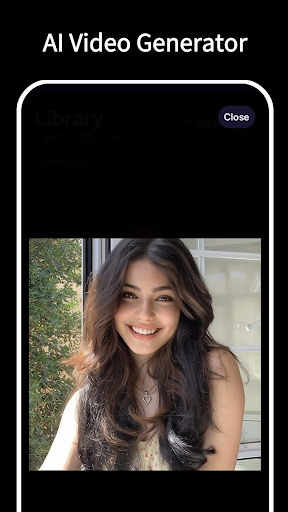
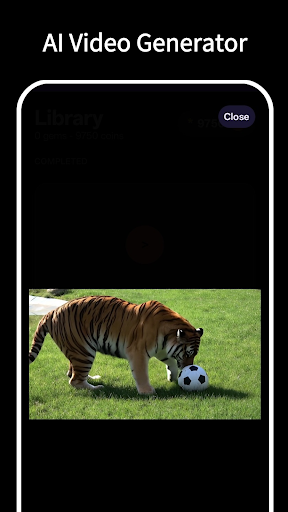
Wan 2.2 is your all-in-one AI video studio. Type a prompt or drop in a
photo, pick a model, and watch it transform into a polished, share-ready
video in moments. No editing skills, no timeline, no complicated tools.
Just your idea and a tap.
Powered by the latest generation of AI video models, Wan 2.2 gives you
control over quality, length, and style so every clip looks exactly the
way you imagined it.
WHAT YOU CAN DO
Text to Video
Describe any scene, mood, or story in words and Wan 2.2 builds a video
around it. Great for social posts, concept art, ads, and creative
experiments.
Image to Video
Bring a still photo to life. Upload an image and let the AI add natural
motion, atmosphere, and cinematic energy.
Choose Your Model
Select from multiple cutting-edge AI engines - Wan 2.7, Wan 2.6, Wan 2.5, Wan 2.2. Each model is fetched live,
so you always see the current options and their costs before you generate.
Pick the one that fits your project and budget.
Flexible Quality and Length
Adjust resolution and duration to match where your video is going, from
quick social clips to higher-resolution showcase pieces.
Track Every Creation
Watch your generations progress in real time and browse a clean gallery
of everything you have finished. Replay, save, or share with a tap.
WHY CREATORS LOVE WAN 2.2
- Fast results with a clean, distraction-free interface
- Transparent, up-to-date pricing shown before you generate
- Multiple AI models to match any style or budget
- Save and share high-quality videos directly from your device
- Regular updates with the newest AI video technology
HOW IT WORKS
1. Enter a text prompt or select a photo
2. Choose your AI model and settings
3. Tap generate and follow the progress
4. Save or share your finished video
Whether you are a social creator, a marketer, a designer, or just love
experimenting with AI, Wan 2.2 makes professional-looking video
generation effortless.
Download Wan 2.2 and start creating today.
더보기

1. 설치 프로그램 다운로드 하시고 설치하십시오

2. 미뮤 실행하고 바탕화면에서 구글 플레이 시작

3. 구글 플레이에서 Wan 2.2 - Wan AI Video Creator 검색
Install
4. Wan 2.2 - Wan AI Video Creator 다운로드 하시고 설치해 주세요
5. 아이콘 클릭해 주세요

6. Memu Play에서 Wan 2.2 - Wan AI Video Creator 사용하기
MEmu Play는 5천만 명의 사용자에게 최고의 안드로이드 앱 경험을 제공하는 무료 안드로이드 에뮬레이터입니다. MEmu의 가상화 기술을 통해 최적의 그래픽 성능을 즐기면서 컴퓨터에서 수많은 안드로이드 앱을 원활하게 실행할 수 있습니다.
최상의 그래픽, 큰 스크린, 배터리, 데이터 걱정 완벽하게 해결.
키보드, 마우스 또는 게임패드를 사용하여 쾌적한 게임 플레이가 가능합니다..
미뮤 멀티를 이용하여 여러 개 게임과 앱을 멀티로 사용할 수 있습니다.
다음 절차에 따라 PC에서 Wan 2.2 - Wan AI Video Creator을(를)플레이 할 수 있습니다.