The Magus Circle
업데이트 날짜
현재 버전
제공자

모바일 게임을 좋아하십니까? 작은 핸드폰 화면, 배터리, 발열 이슈로 고민하지 말고 이제 미뮤 앱플레이어로 PC에서 제한없이 모바일 게임을 즐겨보세요! 미뮤 앱플레이어에서 키보드와 마우스를 사용하여 잠자고 있든 프로게이머의 잠재력을 깨워보세요. 컴퓨터에서 다운로드 하시고 The Magus Circle 설치하세요. 배터리 걱정, 발열 걱정 필요없이 마음껏 즐길수 있습니다; 미뮤 멀티로 무장하여 모바일 게임을 한층 더 재미있게 플레이할 수 있습니다!
더보기
PC에서 미뮤로 The Magus Circle 다운로드 하시고 큰 화면으로 플레이 즐기자 The Magus Circle is a vampire-survivors, rogue-lite game where you draw to cast spells!
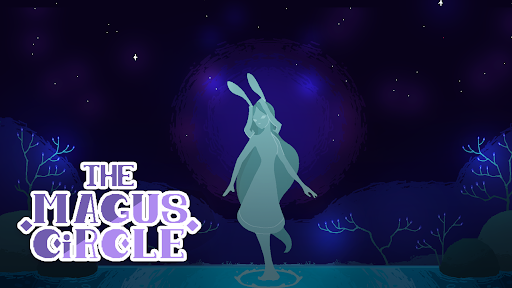
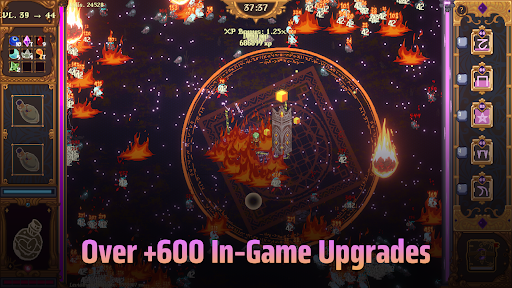
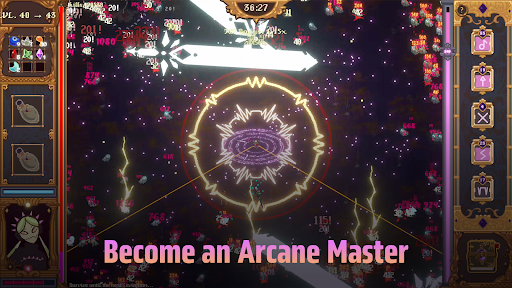
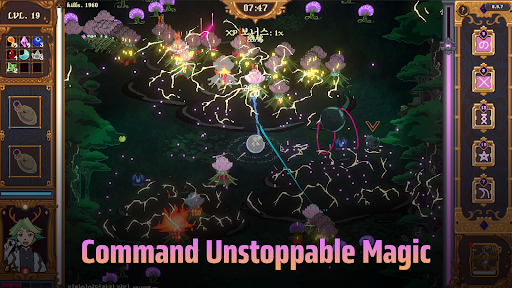
The Magus Circle is a vampire-survivors, rogue-lite game where you draw to cast spells!
When fate comes knocking, will you open the door?
Once you’ve already ruined just about everything, is there really much harm in trying again? Magic itself is under siege and you have found yourself caught in the midst of a cosmic war you did not sign up for. With nothing but your wits and your best scribing hand, you have been charged with protecting humanity's greatest ally: The Magus Circle.
Key Features
- Hand Drawn Spellcasting: Actively draw your arcane sigils to cast your spells. You don't need to be an artist. Even the most crudely drawn sigils still hold magic within.
- Diverse Build Paths: Draw magic sigils, casting 20 unique spells augmented by 600 possible upgrades.
- Maps & Content: Battle hordes of foes across 4 unique planets to face off against colossal bosses. Play as the 6 mages of the circle, each with their own skill trees, abilities and emotional baggage.
- Progression: Unlock familiars, wager your winnings, concoct potions, grow a garden and more!
- Story: Explore the manor, get to know your fellow mages and uncover the secrets of The Circle.
- Controls: The Magus Circle supports drawing tablets, touch screens, and controllers. If your drawing tablet uses Microsoft Ink, disable the setting for your drawings to work. We recommend using a mouse, drawing tablet or touch screen for the best play experience. The Magus Circle features accessibility settings to slow or freeze time when drawing or a button press mode. We recommend using one of these features for controller play.
더보기

1. 설치 프로그램 다운로드 하시고 설치하십시오

2. 미뮤 실행하고 바탕화면에서 구글 플레이 시작

3. 구글 플레이에서 The Magus Circle 검색
Install
4. The Magus Circle 다운로드 하시고 설치해 주세요
5. 아이콘 클릭해 주세요

6. 미뮤 앱플레이어로 실행
미뮤 앱플레이어는 무료 안드로이드 에뮬레이터로 5천만명의 유저들에게 최고의 안드로이드 게임 환경을 제공하고 있습니다. 미뮤의 가상화 기술은 수많은 안드로이드 게임을 PC에서 원활하게 구동함과 동시에 최고의 그래픽 퍼포먼스를 느낄수 있습니다.
최상의 그래픽, 큰 스크린, 배터리, 데이터 걱정 완벽하게 해결.
키보드, 마우스 또는 게임패드를 사용하여 쾌적한 게임 플레이가 가능합니다..
미뮤 멀티를 이용하여 여러 개 게임과 앱을 멀티로 사용할 수 있습니다.
다음 절차에 따라 PC에서 The Magus Circle을(를)플레이 할 수 있습니다.