
Qwik VBT: velocity and barpath
업데이트 날짜
현재 버전
1.5.2
제공자

작은 휴대폰 화면에서 앱 사용에 지치셨나요? MEmu Play를 사용하면 큰 화면에서 앱을 경험할 수 있습니다! MEmu Play의 키보드와 마우스 기능은 앱의 숨겨진 잠재력을 깨워줍니다. 컴퓨터에 Qwik VBT: velocity and barpath 앱을 다운로드하고 설치하면 배터리 수명이나 과열 걱정 없이 좋아하는 앱을 즐길 수 있습니다. MEmu Play를 사용하면 컴퓨터에서 앱을 쉽게 사용할 수 있으며, 언제나 고품질 경험을 보장합니다!
더보기
PC에서 미뮤로 Qwik VBT: velocity and barpath 다운로드 하시고 큰 화면으로 플레이 즐기자 Transform your gym progress with Qwik.
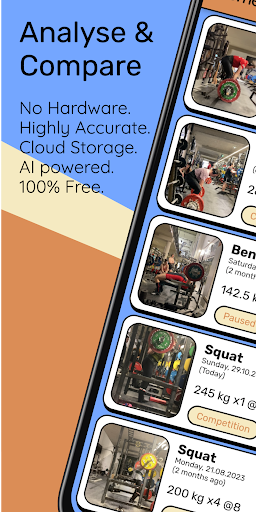
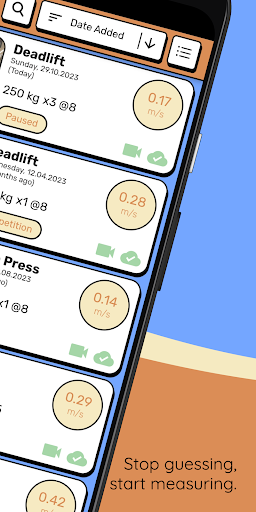
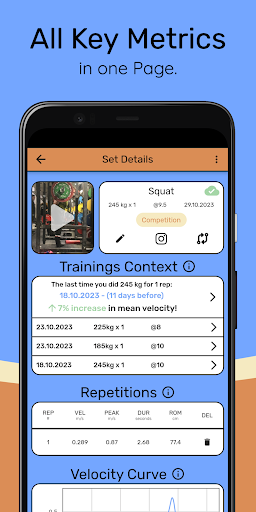
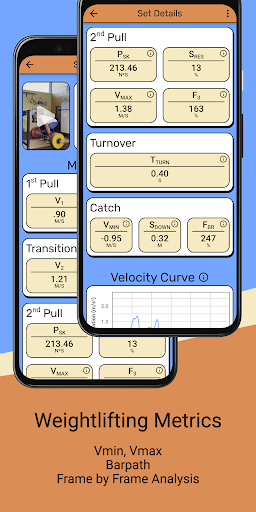
Transform your gym progress with Qwik. Professional analysis for powerlifting and olympic weightlifting.
The revolutionary video-based velocity and barpath tracker! Designed for both beginners and seasoned athletes, this user-friendly app leverages advanced machine learning and computer vision technology to deliver unrivalled accuracy and precision.
Say goodbye to manually tracking your lifts! With Qwik, simply import your video, tap on the plates, and watch as the sophisticated algorithm handles the rest. Our state-of-the-art plate detection system guarantees precise metrics every single time, and our new in-app trimming feature allows you to easily cut your videos right within Qwik, without needing another app.
Elevate your training experience by monitoring crucial metrics such as mean velocity, peak velocity, range of motion, pause duration, and barpath. With Qwik's in-depth analysis, you'll unlock insights into your lifting technique, enabling you to make data-driven improvements and shatter personal records. Plus, you can now export your data as .csv or .json for further analysis.
And don't miss out on our new Repetition Comparison tool, which allows you to instantly compare two repetitions with automatic leveling, perspective adjustment, and synchronized concentric movements. Maximize your gains and perfect your form with this game-changing feature!
Whether you're looking to save all your data online, including videos with free cloud storage, or you just want to take advantage of our new advanced search and ordering capabilities, Qwik has you covered.
Are you ready to unleash your powerlifting potential? Download Qwik now and experience the transformation for yourself!
더보기

1. 설치 프로그램 다운로드 하시고 설치하십시오

2. 미뮤 실행하고 바탕화면에서 구글 플레이 시작

3. 구글 플레이에서 Qwik VBT: velocity and barpath 검색
Install
4. Qwik VBT: velocity and barpath 다운로드 하시고 설치해 주세요
5. 아이콘 클릭해 주세요

6. Memu Play에서 Qwik VBT: velocity and barpath 사용하기
MEmu Play는 5천만 명의 사용자에게 최고의 안드로이드 앱 경험을 제공하는 무료 안드로이드 에뮬레이터입니다. MEmu의 가상화 기술을 통해 최적의 그래픽 성능을 즐기면서 컴퓨터에서 수많은 안드로이드 앱을 원활하게 실행할 수 있습니다.
최상의 그래픽, 큰 스크린, 배터리, 데이터 걱정 완벽하게 해결.
키보드, 마우스 또는 게임패드를 사용하여 쾌적한 게임 플레이가 가능합니다..
미뮤 멀티를 이용하여 여러 개 게임과 앱을 멀티로 사용할 수 있습니다.
다음 절차에 따라 PC에서 Qwik VBT: velocity and barpath을(를)플레이 할 수 있습니다.