fctv 33 tv
업데이트 날짜
현재 버전
1.0
제공자

작은 휴대폰 화면에서 앱 사용에 지치셨나요? MEmu Play를 사용하면 큰 화면에서 앱을 경험할 수 있습니다! MEmu Play의 키보드와 마우스 기능은 앱의 숨겨진 잠재력을 깨워줍니다. 컴퓨터에 fctv 33 tv 앱을 다운로드하고 설치하면 배터리 수명이나 과열 걱정 없이 좋아하는 앱을 즐길 수 있습니다. MEmu Play를 사용하면 컴퓨터에서 앱을 쉽게 사용할 수 있으며, 언제나 고품질 경험을 보장합니다!
더보기
MEmu Play로 PC에서 fctv 33 tv 을 사용하는 최고의 경험을 즐겨보세요. 강력한 무료 안드로이드 에뮬레이터로, 데스크톱 버전에서 수천 개의 안드로이드 앱을 사용할 수 있습니다. 친구들과 소통하고 더욱 효율적으로 작업물을 다듬어 보세요! FCTV 33 Player is a lightweight media player designed to provide a simple and stable experience for users who want to load and play their own playlists on Android devices.
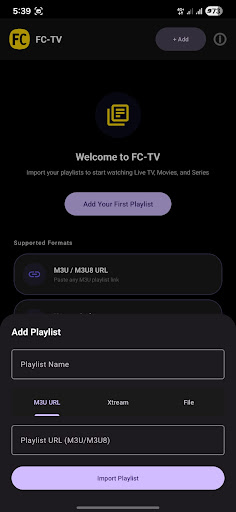
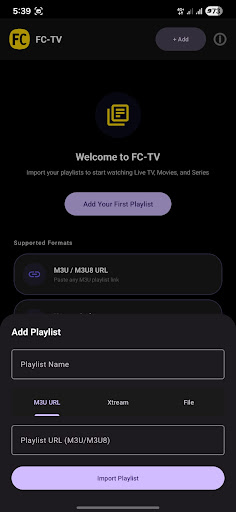
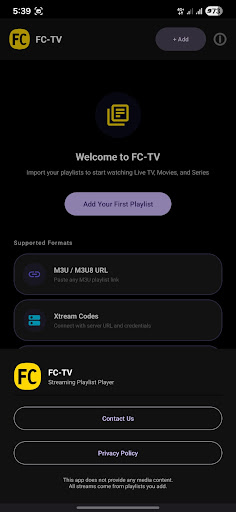
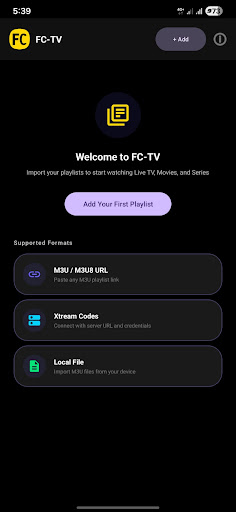
FCTV 33 Player is a lightweight media player designed to provide a simple and stable experience for users who want to load and play their own playlists on Android devices. The application focuses on clean design, smooth performance, and easy navigation without unnecessary complexity.
With FCTV 33 Player, users can import their playlists and access their content in an organized and clear interface. The app is built to remain responsive and efficient, even when handling multiple playlist entries. Every feature in FCTV 33 Player is designed to reduce steps and make playback straightforward.
FCTV 33 Player offers a minimal interface where users can easily browse their playlists and select content for playback. The layout is optimized for usability, allowing quick access to essential functions without confusion. FCTV 33 Player ensures that users can focus on their content instead of dealing with complicated settings.
FCTV 33 Player is developed to work smoothly across a wide range of Android devices. The application maintains stability and performance while keeping the overall size lightweight. FCTV 33 Player prioritizes reliability so users can open and manage playlists without interruptions.
The design approach of FCTV 33 Player is centered around simplicity. Menus are clear, navigation is direct, and all actions are easy to understand. FCTV 33 Player provides a comfortable experience for users who prefer a clean and efficient media player.
FCTV 33 Player does not provide any media content, channels, or playlists. FCTV 33 Player only functions as a player that allows users to load and play their own content.
더보기

1. 설치 프로그램 다운로드 하시고 설치하십시오

2. 미뮤 실행하고 바탕화면에서 구글 플레이 시작

3. 구글 플레이에서 fctv 33 tv 검색
Install
4. fctv 33 tv 다운로드 하시고 설치해 주세요
5. 아이콘 클릭해 주세요

6. Memu Play에서 fctv 33 tv 사용하기
MEmu Play는 5천만 명의 사용자에게 최고의 안드로이드 앱 경험을 제공하는 무료 안드로이드 에뮬레이터입니다. MEmu의 가상화 기술을 통해 최적의 그래픽 성능을 즐기면서 컴퓨터에서 수많은 안드로이드 앱을 원활하게 실행할 수 있습니다.
최상의 그래픽, 큰 스크린, 배터리, 데이터 걱정 완벽하게 해결.
키보드, 마우스 또는 게임패드를 사용하여 쾌적한 게임 플레이가 가능합니다..
미뮤 멀티를 이용하여 여러 개 게임과 앱을 멀티로 사용할 수 있습니다.
다음 절차에 따라 PC에서 fctv 33 tv을(를)플레이 할 수 있습니다.