XGames Wii – Wii Games
업데이트 날짜
현재 버전
1.4
제공자

작은 휴대폰 화면에서 앱 사용에 지치셨나요? MEmu Play를 사용하면 큰 화면에서 앱을 경험할 수 있습니다! MEmu Play의 키보드와 마우스 기능은 앱의 숨겨진 잠재력을 깨워줍니다. 컴퓨터에 XGames Wii – Wii Games 앱을 다운로드하고 설치하면 배터리 수명이나 과열 걱정 없이 좋아하는 앱을 즐길 수 있습니다. MEmu Play를 사용하면 컴퓨터에서 앱을 쉽게 사용할 수 있으며, 언제나 고품질 경험을 보장합니다!
더보기
MEmu Play로 PC에서 XGames Wii – Wii Games 을 사용하는 최고의 경험을 즐겨보세요. 강력한 무료 안드로이드 에뮬레이터로, 데스크톱 버전에서 수천 개의 안드로이드 앱을 사용할 수 있습니다. 친구들과 소통하고 더욱 효율적으로 작업물을 다듬어 보세요! Relive the golden era of Wii gaming with XGames – Wii Games — a complete collection of legendary Wii titles, all packed into one easy-to-use Android app.
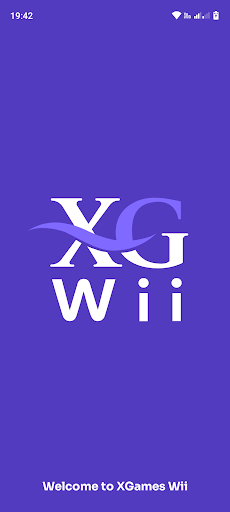
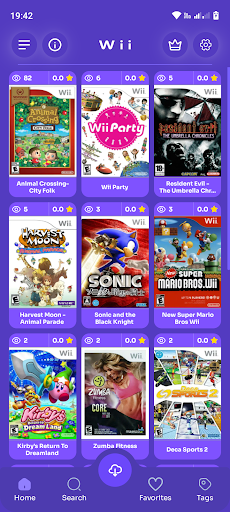
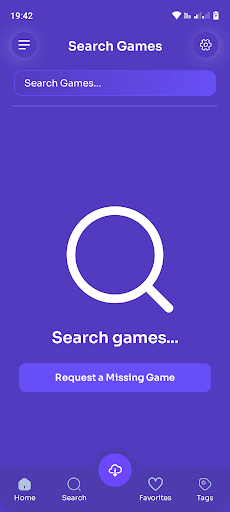
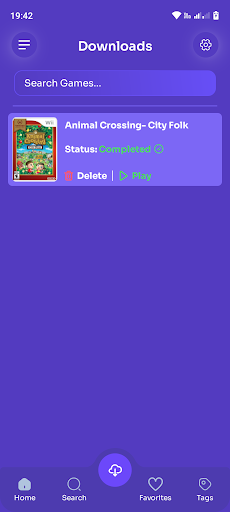
Relive the golden era of Wii gaming with XGames – Wii Games — a complete collection of legendary Wii titles, all packed into one easy-to-use Android app.
Step into the 2000s with hundreds of unforgettable motion-controlled classics — sports, action, racing, fighting, RPGs, party games and more — all carefully organised for the ultimate retro Wii experience on mobile.
Key Features:
1000+ iconic Wii games in one app
Sorted by genre: sports, action, party, racing, RPG, fighting, adventure
Clean, intuitive interface with smooth navigation
Detailed game info: title, size, cover art, screenshots and ratings
⭐ Save your favourites for quick access
Search by genre, name or popularity
Supports 65+ languages — including English, Arabic, Spanish, French, Japanese and more
Whether you’re into epic story-driven RPGs, motion-based sports favorites, or party fun with friends — XGames brings back the magic of Wii at your fingertips.
Why gamers love XGames – Wii:
Massive Wii library packed with fan favourites
Lightweight, Android-optimized design
Regular updates with new games
Instant setup — install and play
Play whenever and wherever:
Revisit your favorite Nintendo Wii memories
Enjoy classics like The Legend of Zelda: Twilight Princess, Mario Kart Wii, Super Smash Bros. Brawl, Wii Sports, Donkey Kong Country Returns, Xenoblade Chronicles, and more
Smooth performance even on low-end Android devices
XGames – Wii Games is the ultimate retro hub for Wii fans.
Download today and start your Wii adventure — legendary games are just a tap away!
Perfect for retro gamers, sports fans, party gamers, and collectors — all in one powerful app.
With support for over 65 languages, XGames is built for gamers everywhere.
Tap to download — and relive the Wii era in seconds!
더보기

1. 설치 프로그램 다운로드 하시고 설치하십시오

2. 미뮤 실행하고 바탕화면에서 구글 플레이 시작

3. 구글 플레이에서 XGames Wii – Wii Games 검색
Install
4. XGames Wii – Wii Games 다운로드 하시고 설치해 주세요
5. 아이콘 클릭해 주세요

6. Memu Play에서 XGames Wii – Wii Games 사용하기
MEmu Play는 5천만 명의 사용자에게 최고의 안드로이드 앱 경험을 제공하는 무료 안드로이드 에뮬레이터입니다. MEmu의 가상화 기술을 통해 최적의 그래픽 성능을 즐기면서 컴퓨터에서 수많은 안드로이드 앱을 원활하게 실행할 수 있습니다.
최상의 그래픽, 큰 스크린, 배터리, 데이터 걱정 완벽하게 해결.
키보드, 마우스 또는 게임패드를 사용하여 쾌적한 게임 플레이가 가능합니다..
미뮤 멀티를 이용하여 여러 개 게임과 앱을 멀티로 사용할 수 있습니다.
다음 절차에 따라 PC에서 XGames Wii – Wii Games을(를)플레이 할 수 있습니다.