Oumi – Story Roleplay Worlds
업데이트 날짜
현재 버전
1.2.0
제공자

작은 휴대폰 화면에서 앱 사용에 지치셨나요? MEmu Play를 사용하면 큰 화면에서 앱을 경험할 수 있습니다! MEmu Play의 키보드와 마우스 기능은 앱의 숨겨진 잠재력을 깨워줍니다. 컴퓨터에 Oumi – Story Roleplay Worlds 앱을 다운로드하고 설치하면 배터리 수명이나 과열 걱정 없이 좋아하는 앱을 즐길 수 있습니다. MEmu Play를 사용하면 컴퓨터에서 앱을 쉽게 사용할 수 있으며, 언제나 고품질 경험을 보장합니다!
더보기
MEmu Play로 PC에서 Oumi – Story Roleplay Worlds 을 사용하는 최고의 경험을 즐겨보세요. 강력한 무료 안드로이드 에뮬레이터로, 데스크톱 버전에서 수천 개의 안드로이드 앱을 사용할 수 있습니다. 친구들과 소통하고 더욱 효율적으로 작업물을 다듬어 보세요! Become part of the story.
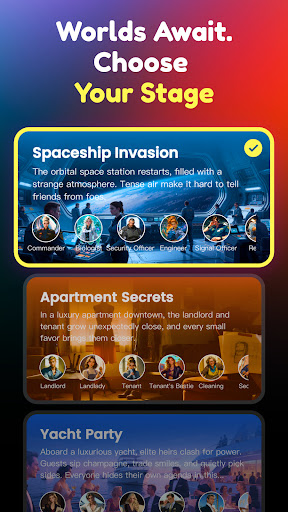
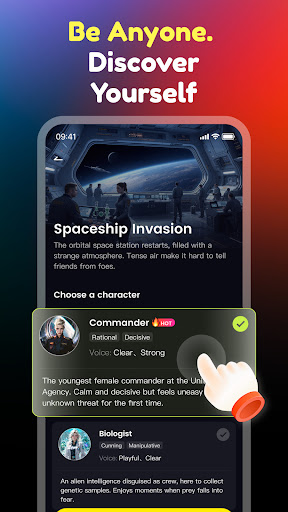
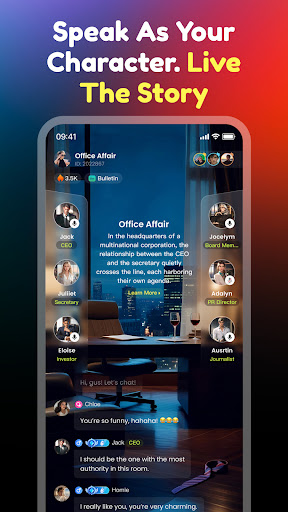
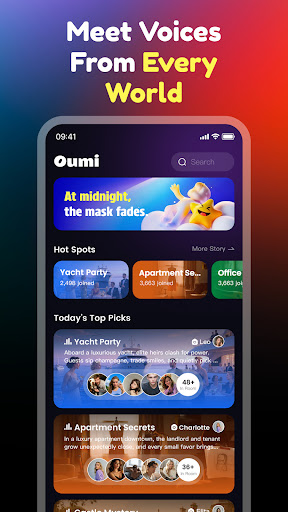
Become part of the story. Choose your role. See where the adventure takes you.
Oumi is an interactive, role-driven experience where you join imaginative scenes, embody unique characters, and help shape ever-changing stories with other players.
Explore Unique Worlds
From a starship mission to a luxury yacht celebration, from a mysterious castle to a bustling office — each setting brings fresh challenges and possibilities.
Play Distinct Roles
Captain, engineer, strategist, guest — every role has its own perspective, adding depth and fun to every interaction.
Influence the Story
Your choices and actions can shift the plot, leading to twists, turns, and memorable shared moments.
Why Oumi?
• Immersive themed environments
• Roles that inspire creativity
• Stories shaped by player decisions
• Endless variations for replay
Step into Oumi, take on your character, and see how your story unfolds.
더보기

1. 설치 프로그램 다운로드 하시고 설치하십시오

2. 미뮤 실행하고 바탕화면에서 구글 플레이 시작

3. 구글 플레이에서 Oumi – Story Roleplay Worlds 검색
Install
4. Oumi – Story Roleplay Worlds 다운로드 하시고 설치해 주세요
5. 아이콘 클릭해 주세요

6. Memu Play에서 Oumi – Story Roleplay Worlds 사용하기
MEmu Play는 5천만 명의 사용자에게 최고의 안드로이드 앱 경험을 제공하는 무료 안드로이드 에뮬레이터입니다. MEmu의 가상화 기술을 통해 최적의 그래픽 성능을 즐기면서 컴퓨터에서 수많은 안드로이드 앱을 원활하게 실행할 수 있습니다.
최상의 그래픽, 큰 스크린, 배터리, 데이터 걱정 완벽하게 해결.
키보드, 마우스 또는 게임패드를 사용하여 쾌적한 게임 플레이가 가능합니다..
미뮤 멀티를 이용하여 여러 개 게임과 앱을 멀티로 사용할 수 있습니다.
다음 절차에 따라 PC에서 Oumi – Story Roleplay Worlds을(를)플레이 할 수 있습니다.