Camera Blocker - Block Camera
업데이트 날짜
현재 버전
1.12.31
제공자

작은 휴대폰 화면에서 앱 사용에 지치셨나요? MEmu Play를 사용하면 큰 화면에서 앱을 경험할 수 있습니다! MEmu Play의 키보드와 마우스 기능은 앱의 숨겨진 잠재력을 깨워줍니다. 컴퓨터에 Camera Blocker - Block Camera 앱을 다운로드하고 설치하면 배터리 수명이나 과열 걱정 없이 좋아하는 앱을 즐길 수 있습니다. MEmu Play를 사용하면 컴퓨터에서 앱을 쉽게 사용할 수 있으며, 언제나 고품질 경험을 보장합니다!
더보기
MEmu Play로 PC에서 Camera Blocker - Block Camera 을 사용하는 최고의 경험을 즐겨보세요. 강력한 무료 안드로이드 에뮬레이터로, 데스크톱 버전에서 수천 개의 안드로이드 앱을 사용할 수 있습니다. 친구들과 소통하고 더욱 효율적으로 작업물을 다듬어 보세요! Camera Blocker is an app that will block your camera when you don't need it because many apps are available that will use your camera in the background without your knowledge and will take pictures, record videos, and can abuse your personal data, but if you have Camera Blocker then you don't need to worry about it because your camera will be safe and other apps will not use your photo in the background.
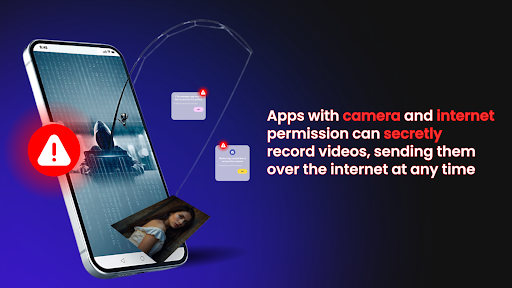
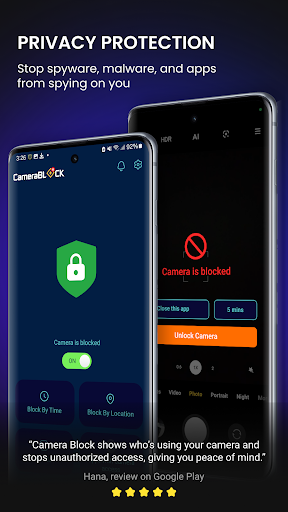
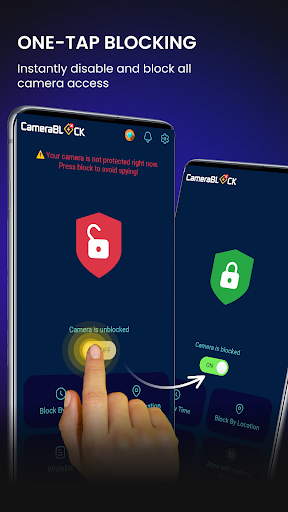
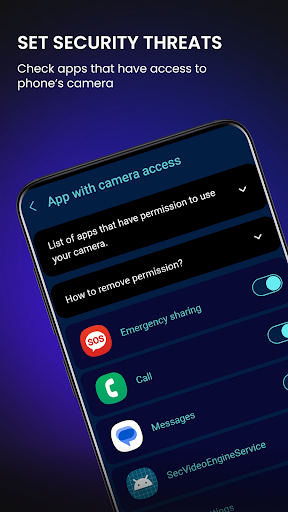
Camera Blocker is an app that will block your camera when you don't need it because many apps are available that will use your camera in the background without your knowledge and will take pictures, record videos, and can abuse your personal data, but if you have Camera Blocker then you don't need to worry about it because your camera will be safe and other apps will not use your photo in the background.
The camera blocker prevents unauthorized photos and videos from being taken without your consent.
With just one click, your phone camera will be fully protected and blocked from surveillance apps.
Why Use Camera Blocker :
Full 24/7 camera protection and prevent any form of unauthorized.
Block the camera automatically.
View for each application that allows the camera and the level of possible risk.
No root required.
This is a full camera protection app that allows you to restrict camera access or put camera restrictions in place. Do you want to block the camera for the phone? Let us handle that for you. We'll keep your camera safe.
We offer some advanced features that you need to sign up for. This auto-renewing subscription includes a three-day free trial that you can choose from as needed.
If you sign up for our app, we will debit your Google Play account and charge you a renewal fee within 24 hours after the end of the current period.
Once subscribed, you can cancel your subscription at any time in your Google Play settings.
If you don't want to subscribe to our app, you can still use this feature for free.
Download Camera Blocker and enjoy many advanced features.
----------------------------------------------------------------------------
Please rate 5* for World Top Camera Blocker.
Email us or leave a comment here, any helpful ideas are welcome. Your contribution will help us to continue to develop a better Camera Blocker in future versions.
Contact us: support.camerablock@bigqstudio.com
Thank you for reading. Have a nice day!
더보기

1. 설치 프로그램 다운로드 하시고 설치하십시오

2. 미뮤 실행하고 바탕화면에서 구글 플레이 시작

3. 구글 플레이에서 Camera Blocker - Block Camera 검색
Install
4. Camera Blocker - Block Camera 다운로드 하시고 설치해 주세요
5. 아이콘 클릭해 주세요

6. Memu Play에서 Camera Blocker - Block Camera 사용하기
MEmu Play는 5천만 명의 사용자에게 최고의 안드로이드 앱 경험을 제공하는 무료 안드로이드 에뮬레이터입니다. MEmu의 가상화 기술을 통해 최적의 그래픽 성능을 즐기면서 컴퓨터에서 수많은 안드로이드 앱을 원활하게 실행할 수 있습니다.
최상의 그래픽, 큰 스크린, 배터리, 데이터 걱정 완벽하게 해결.
키보드, 마우스 또는 게임패드를 사용하여 쾌적한 게임 플레이가 가능합니다..
미뮤 멀티를 이용하여 여러 개 게임과 앱을 멀티로 사용할 수 있습니다.
다음 절차에 따라 PC에서 Camera Blocker - Block Camera을(를)플레이 할 수 있습니다.