SlashZero
업데이트 날짜
현재 버전
제공자

모바일 게임을 좋아하십니까? 작은 핸드폰 화면, 배터리, 발열 이슈로 고민하지 말고 이제 미뮤 앱플레이어로 PC에서 제한없이 모바일 게임을 즐겨보세요! 미뮤 앱플레이어에서 키보드와 마우스를 사용하여 잠자고 있든 프로게이머의 잠재력을 깨워보세요. 컴퓨터에서 다운로드 하시고 SlashZero 설치하세요. 배터리 걱정, 발열 걱정 필요없이 마음껏 즐길수 있습니다; 미뮤 멀티로 무장하여 모바일 게임을 한층 더 재미있게 플레이할 수 있습니다!
더보기
PC에서 미뮤로 SlashZero 다운로드 하시고 큰 화면으로 플레이 즐기자 SlashZero is a 3D anime-style side-scrolling action roguelike game.
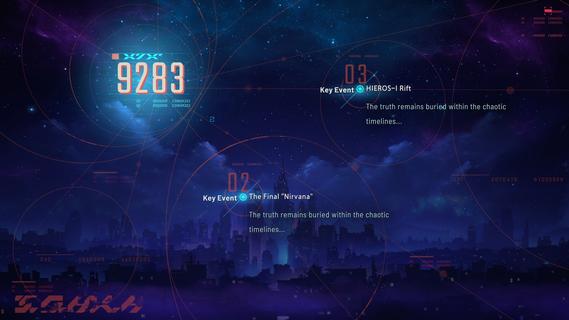
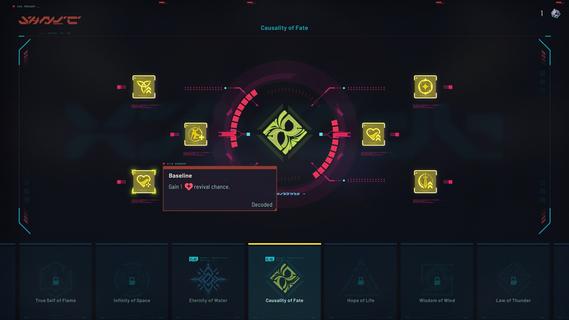
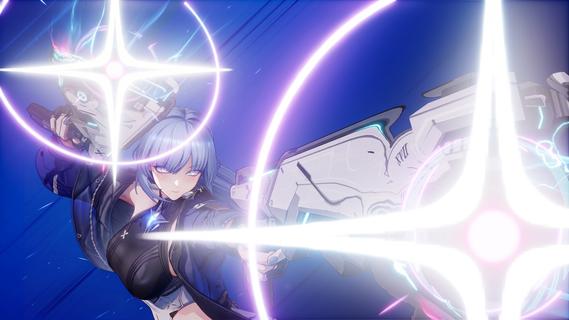
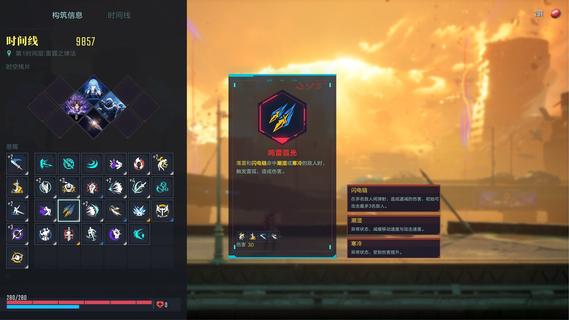
SlashZero is a 3D anime-style side-scrolling action roguelike game. In this game, you can unleash flashy moves, dive into thrilling combat and customize endless builds to suit your playstyle. Fight, power up, collect items and uncover the hidden truth beneath this stunning cyberpunk world!Master rich movesets and in-depth combat combos featuring signature aerial strings. Dash, vault, and fight across multi-layered maps for smooth, parkour-style action!Feel every strike with precise hit feedback. Diverse level designs keep every battle fresh and challenging. Dominate foes by blending acrobatic finesse with tactical combat strategy to claim victory!Try out different Timehackers and find the combat playstyle that suits you best. Are you a melee expert? A ranged specialist? Or do you prefer something more flexible in both offense and defense? Find your style as you experience each character's unique movesets and explore their stories!Mix and match a wide range of in-run and out-of-run systems to shape your own combat build. In every run, you can choose a path and grow stronger as you follow it. Combine the power of Blessings from different Authorities, harness the run-changing effects of Temporal Fragments, and equip Upgrade Chips that can fundamentally reshape how your character plays. Back at the base, unlock permanent progression options to prepare for what comes next. Increase your stats, acquire Dual Blessings, gain additional rerolls, and more! You may even get to bring your own preset builds into future runs!As the timelines collapse, HIEROS-I descends, and he intends to drag every timeline toward destruction. As a Timehacker, the fate of the world falls to you. Guided by the mysterious voice known as Silver, travel across timelines, gather greater power, seek out Timeline Zero, hunt down the Lord of the Void, and put an end to HIEROS-I before everything is lost.
더보기

1. 설치 프로그램 다운로드 하시고 설치하십시오

2. 미뮤 실행하고 바탕화면에서 구글 플레이 시작

3. 구글 플레이에서 SlashZero 검색
Install
4. SlashZero 다운로드 하시고 설치해 주세요
5. 아이콘 클릭해 주세요

6. 미뮤 앱플레이어로 실행
미뮤 앱플레이어는 무료 안드로이드 에뮬레이터로 5천만명의 유저들에게 최고의 안드로이드 게임 환경을 제공하고 있습니다. 미뮤의 가상화 기술은 수많은 안드로이드 게임을 PC에서 원활하게 구동함과 동시에 최고의 그래픽 퍼포먼스를 느낄수 있습니다.
최상의 그래픽, 큰 스크린, 배터리, 데이터 걱정 완벽하게 해결.
키보드, 마우스 또는 게임패드를 사용하여 쾌적한 게임 플레이가 가능합니다..
미뮤 멀티를 이용하여 여러 개 게임과 앱을 멀티로 사용할 수 있습니다.
다음 절차에 따라 PC에서 SlashZero을(를)플레이 할 수 있습니다.