Kemono Teatime
업데이트 날짜
현재 버전
제공자

모바일 게임을 좋아하십니까? 작은 핸드폰 화면, 배터리, 발열 이슈로 고민하지 말고 이제 미뮤 앱플레이어로 PC에서 제한없이 모바일 게임을 즐겨보세요! 미뮤 앱플레이어에서 키보드와 마우스를 사용하여 잠자고 있든 프로게이머의 잠재력을 깨워보세요. 컴퓨터에서 다운로드 하시고 Kemono Teatime 설치하세요. 배터리 걱정, 발열 걱정 필요없이 마음껏 즐길수 있습니다; 미뮤 멀티로 무장하여 모바일 게임을 한층 더 재미있게 플레이할 수 있습니다!
더보기
PC에서 미뮤로 Kemono Teatime 다운로드 하시고 큰 화면으로 플레이 즐기자 Relax in the world of Kemono Teatime, where animal ears are a normal part of everyday life.
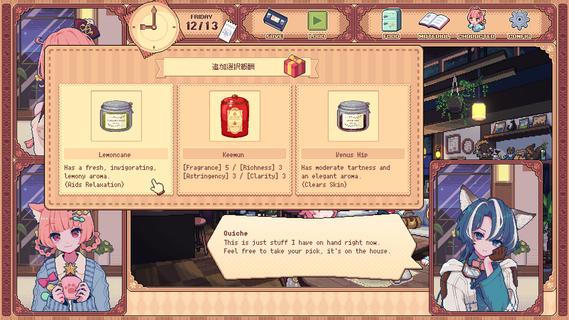
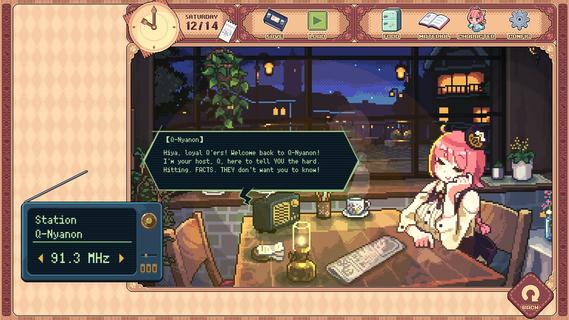
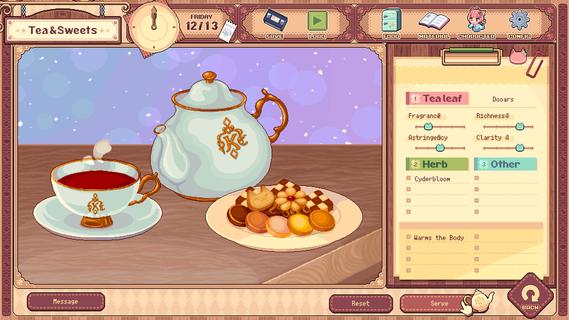
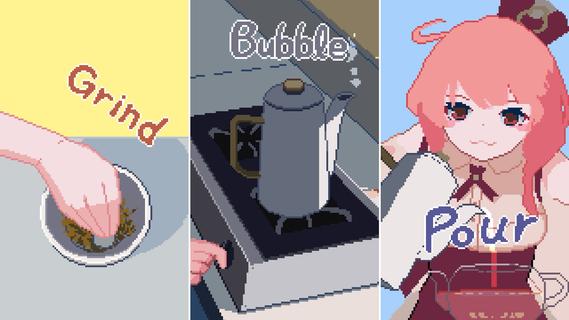
Relax in the world of Kemono Teatime, where animal ears are a normal part of everyday life. Here in Melodius, you can whip up whatever blends of tea you desire in your favorite cafe as you play through an adorable story. Come now and live out your bestest and cutest lifeâdown to the last drop. Though, you do know that once it's run out, that's it, right? It'd do you best to learn that all good things come to an end.Meet all the Kemomimis that come through the cafe and help them wind down, spend a cute and adorable time sipping on some tea, and come to terms with their ultimate fates."Welcome!"Come on in! Here, we strive to make the remainder of our customers' lives as enjoyable as possible, so we've curated a cute space for everyone to relax and find peace in. We also have a great range of tea blends and delicious desserts on offer, so please make yourself at home.Now, to get things started, how about a nice cup of tea blended just for you?"Here's one of our specialties!"Create your own unique teas with our stock of 9 black teas, 15 herbs, and secret ingredients. Get to know the customers and make them something that they'll love while you immerse yourself in the wonderful sounds of the tea-making process."Let your ears enjoy the cute atmosphere too!"De-stress with the cafe's ASMR, with all its sounds and effects recorded in binaural audio. The background music also changes with each customer, giving you unique experiences that come and go with each new soul you meet."All the staff and customers here are adorable Kemomimis!"All the cafe staff and customers (except me) have animal ears! Please savor each encounter and goodbye while you canâI'm sure you'll have a very special and unforgettable time here with all the people you meet.-TarteThe cafe's trusty manager and elder of two sisters. She's the resident tea-blending expert.-MacaronTarte's adorable little sister who is a patissiere and the face of the cafe.-QuicheA traveler who lodges at the cafe in exchange for some handy gifts.-The Kemomimi customersMeet a host of these cute and colorful characters at the cafe!"The cafe will be open for three weeks only!"You caught that, right? The shop's only running for a maximum of 21 days. What kind of people and stories will you get to know during this time? And is the cafe really shutting down after that? Why open up a limited-time cafe to begin with, anyway? The truth is up to you to uncover!"Come back again any time!"If you like what you see, please wishlist Kemono Teatime and we will deliver the latest updates to you. Until then, please sit back with a nice cup of tea and relax.
더보기

1. 설치 프로그램 다운로드 하시고 설치하십시오

2. 미뮤 실행하고 바탕화면에서 구글 플레이 시작

3. 구글 플레이에서 Kemono Teatime 검색
Install
4. Kemono Teatime 다운로드 하시고 설치해 주세요
5. 아이콘 클릭해 주세요

6. 미뮤 앱플레이어로 실행
미뮤 앱플레이어는 무료 안드로이드 에뮬레이터로 5천만명의 유저들에게 최고의 안드로이드 게임 환경을 제공하고 있습니다. 미뮤의 가상화 기술은 수많은 안드로이드 게임을 PC에서 원활하게 구동함과 동시에 최고의 그래픽 퍼포먼스를 느낄수 있습니다.
최상의 그래픽, 큰 스크린, 배터리, 데이터 걱정 완벽하게 해결.
키보드, 마우스 또는 게임패드를 사용하여 쾌적한 게임 플레이가 가능합니다..
미뮤 멀티를 이용하여 여러 개 게임과 앱을 멀티로 사용할 수 있습니다.
다음 절차에 따라 PC에서 Kemono Teatime을(를)플레이 할 수 있습니다.