Dungeon Crawl 94: What Was Taken
업데이트 날짜
현재 버전
제공자

모바일 게임을 좋아하십니까? 작은 핸드폰 화면, 배터리, 발열 이슈로 고민하지 말고 이제 미뮤 앱플레이어로 PC에서 제한없이 모바일 게임을 즐겨보세요! 미뮤 앱플레이어에서 키보드와 마우스를 사용하여 잠자고 있든 프로게이머의 잠재력을 깨워보세요. 컴퓨터에서 다운로드 하시고 Dungeon Crawl 94: What Was Taken 설치하세요. 배터리 걱정, 발열 걱정 필요없이 마음껏 즐길수 있습니다; 미뮤 멀티로 무장하여 모바일 게임을 한층 더 재미있게 플레이할 수 있습니다!
더보기
PC에서 미뮤로 Dungeon Crawl 94: What Was Taken 다운로드 하시고 큰 화면으로 플레이 즐기자 Dungeon Crawl 94: What Was Taken is a turn-based, grid-based pixel art RPG where every move matters.
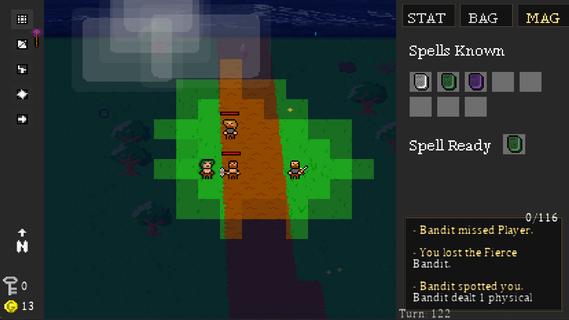
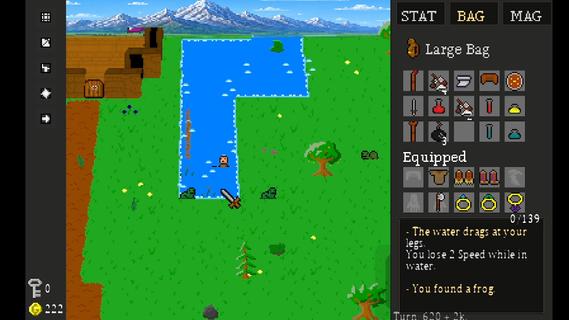
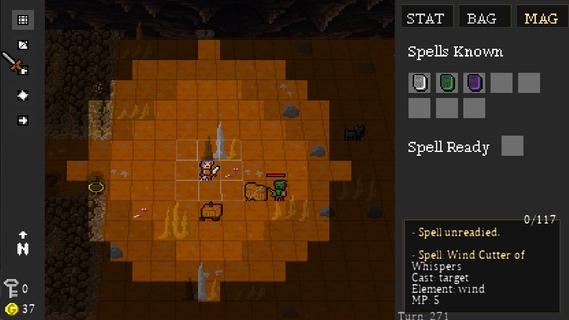
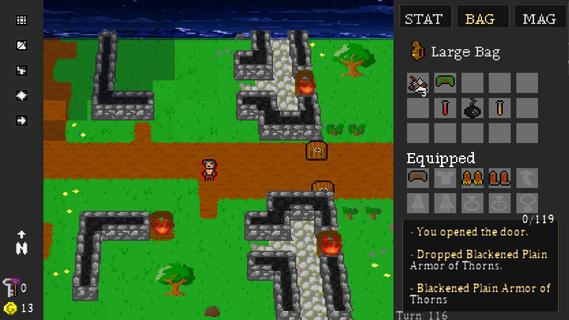
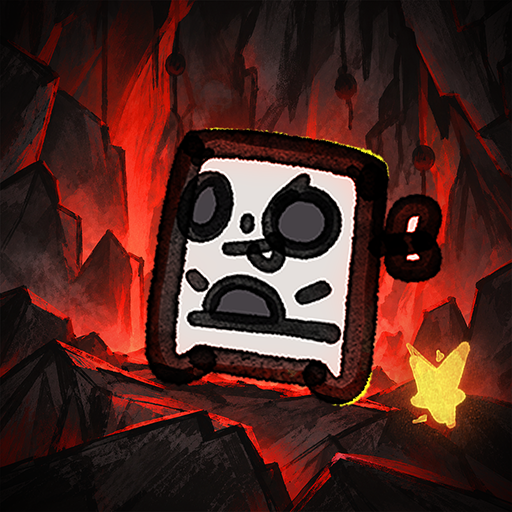
Dungeon Crawl 94: What Was Taken is a turn-based, grid-based pixel art RPG where every move matters. Explore a dangerous world of procedurally generated roads, forests, caves, dungeons, and other locations as you search for what was taken from you.Movement takes place one tile at a time, and every step advances the world around you. Enemies patrol, wildlife wanders, and danger continues to move with every turn. Sometimes fighting is the answer. Sometimes escaping is the smarter choice.Create your character and develop seven attributes: Strength, Dexterity, Intelligence, Wisdom, Speed, Constitution, and Luck. Equip weapons and armor, learn elemental magic, discover rare items, and build a character suited to the way you want to play.Explore dangerous dungeons filled with traps, puzzles, hidden treasures, merchants, enemies, and powerful bosses. Gather supplies, trade, craft useful items, and make camp as you push farther into the world.Procedural generation, multiple difficulty levels, hidden secrets, randomized loot, and different character builds make each journey through Dungeon Crawl 94: What Was Taken a little different from the last.FeaturesGrid-Based Turn-Based Exploration â Move one tile at a time as enemies and the world react to your actions.Procedurally Generated Adventures â Explore randomized roads, forests, caves, dungeons, and other locations.Seven Character Attributes â Develop Strength, Dexterity, Intelligence, Wisdom, Speed, Constitution, and Luck.Tactical Combat â Fight with melee weapons, bows, shields, and elemental magic.Equipment & Loot â Discover weapons, armor, magical items, consumables, and rare legendary treasures.Magic â Learn and use spells for combat, survival, and exploration.Crafting & Camping â Manage supplies and craft useful items as you travel.Merchants & Trading â Buy, sell, and manage your resources along the journey.Traps, Puzzles & Secrets â Search carefully for hidden areas and ways through environmental obstacles.Boss Battles â Face powerful enemies with unique challenges.Dynamic Pixel-Art World â Explore atmospheric environments with lighting, weather, and a tile-based visual style.Multiple Ways to Play â Randomized maps, different character builds, and multiple difficulty settings encourage new adventures.Xbox Controller, Keyboard & Mouse Support â Play using your preferred supported input method.
더보기

1. 설치 프로그램 다운로드 하시고 설치하십시오

2. 미뮤 실행하고 바탕화면에서 구글 플레이 시작

3. 구글 플레이에서 Dungeon Crawl 94: What Was Taken 검색
Install
4. Dungeon Crawl 94: What Was Taken 다운로드 하시고 설치해 주세요
5. 아이콘 클릭해 주세요

6. 미뮤 앱플레이어로 실행
미뮤 앱플레이어는 무료 안드로이드 에뮬레이터로 5천만명의 유저들에게 최고의 안드로이드 게임 환경을 제공하고 있습니다. 미뮤의 가상화 기술은 수많은 안드로이드 게임을 PC에서 원활하게 구동함과 동시에 최고의 그래픽 퍼포먼스를 느낄수 있습니다.
최상의 그래픽, 큰 스크린, 배터리, 데이터 걱정 완벽하게 해결.
키보드, 마우스 또는 게임패드를 사용하여 쾌적한 게임 플레이가 가능합니다..
미뮤 멀티를 이용하여 여러 개 게임과 앱을 멀티로 사용할 수 있습니다.
다음 절차에 따라 PC에서 Dungeon Crawl 94: What Was Taken을(를)플레이 할 수 있습니다.