Dawnfolk
업데이트 날짜
현재 버전
1.0.3
제공자

모바일 게임을 좋아하십니까? 작은 핸드폰 화면, 배터리, 발열 이슈로 고민하지 말고 이제 미뮤 앱플레이어로 PC에서 제한없이 모바일 게임을 즐겨보세요! 미뮤 앱플레이어에서 키보드와 마우스를 사용하여 잠자고 있든 프로게이머의 잠재력을 깨워보세요. 컴퓨터에서 다운로드 하시고 Dawnfolk 설치하세요. 배터리 걱정, 발열 걱정 필요없이 마음껏 즐길수 있습니다; 미뮤 멀티로 무장하여 모바일 게임을 한층 더 재미있게 플레이할 수 있습니다!
더보기
PC에서 미뮤로 Dawnfolk 다운로드 하시고 큰 화면으로 플레이 즐기자 어둠으로 뒤덮인 세상에서, 당신은 그림자에 휩싸인 왕국의 통치자입니다.
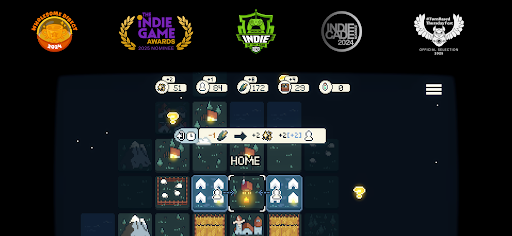
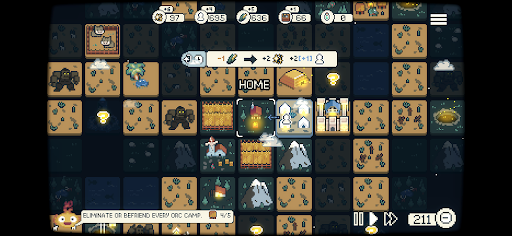
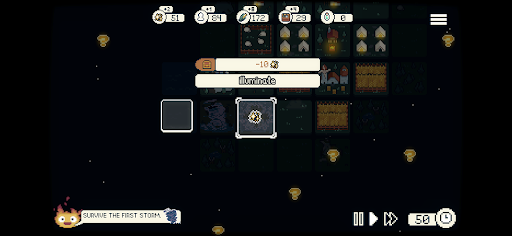
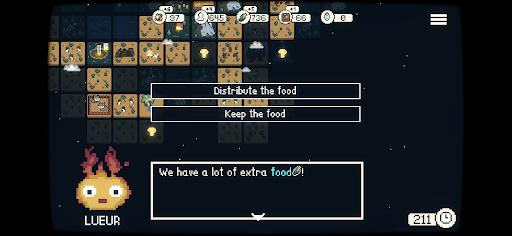
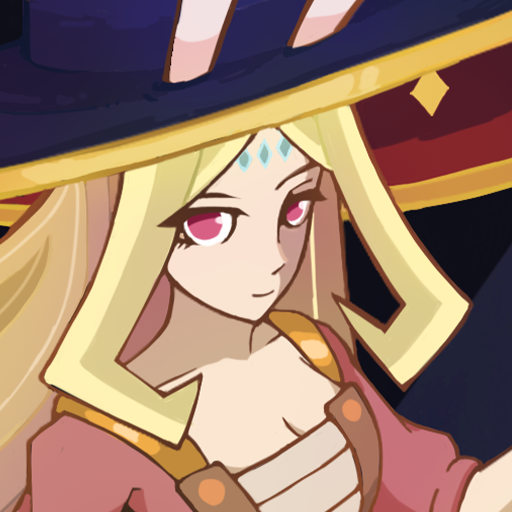
어둠으로 뒤덮인 세상에서, 당신은 그림자에 휩싸인 왕국의 통치자입니다. 백성을 구하기 위한 여정에서, 당신은 길을 밝혀줄 신화 속 불꽃의 동반자, 루에르를 만나게 됩니다.
1인 개발자 대런 켈러가 만든 던폴크는 미니멀한 전략, 탐험, 그리고 도시 건설을 조화롭게 결합하여 편안하면서도 깊은 만족감을 선사하는 게임입니다.
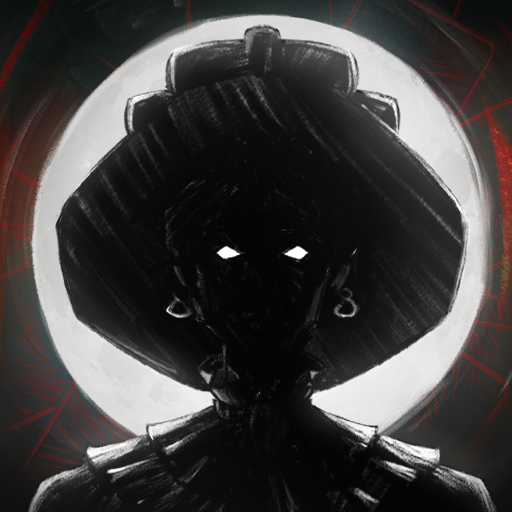
수십 년 전, 하늘에서 흑요석 거석들이 떨어져 땅을 집어삼키는 어둠을 불러왔습니다. 이제 루에르의 힘으로 당신은 그림자를 물리치고 왕국을 되찾을 수 있습니다.
하지만 당신은 어떤 통치자가 될까요?
미지의 중세 판타지 세계를 탐험하고, 자원을 관리하고, 도시를 건설하고, 수많은 위험으로부터 살아남으세요.
미니게임은 백성을 돌보는 데 특별한 도전을 더합니다. 게임에서 좋은 성적을 거둘수록 더 많은 자원을 얻을 수 있으며, 이는 왕국이 어둠을 헤쳐나가는 데 도움이 됩니다.
다양한 전략과 플레이 스타일을 탐구하며 모든 선택이 중요합니다. 복잡한 튜토리얼이나 어려운 시스템 없이, 텐트 몇 개로 시작한 작은 정착지를 한 시간도 안 되어 번영하는 도시로 성장시키세요.
친숙하면서도 신선한 느낌을 주는 이 게임은 탐험과 실험에 중점을 두고 있으며, 발견 자체가 여정의 일부입니다.
당신의 선택이 마을 사람들의 운명을 결정짓습니다.
세상에 다시 빛을 가져다줄 수 있을까요?
주요 특징
- 편안한 게임: 언제 어디서든 편안하게 즐길 수 있도록 설계된 전략 게임입니다.
- 쉬운 학습: 긴 튜토리얼이나 복잡한 메뉴 없이 바로 시작해서 건설을 시작하세요.
- 짧은 플레이 시간: 아무것도 없는 상태에서 한 시간 안에 번영하는 도시를 건설하세요.
- 거시적 관점과 미시적 관점의 조화: 도시 건설과 농장 시뮬레이션 및 RPG에서 영감을 받은 미니 게임이 결합되어 있습니다. 도시 관리 중간중간에 스킬 기반 도전 과제를 통해 보너스 자원을 획득하세요.
- 게임 모드: 실시간, 턴제, 난이도 조절 등 다양한 플레이 방식을 제공합니다.
- 탐구 동기 부여: 자신만의 속도로 탐험하고, 실험하고, 시스템을 발견해 보세요. 게임이 모든 것을 알려주지는 않습니다.
- 미니멀리즘 디자인: 불필요한 복잡성 없이 깊이 있는 게임 플레이를 제공하는 핵심 메커니즘.
- 인터랙티브 스토리: 건설한 건물들이 끊임없이 변화하는 스토리를 만들어갑니다. 당신의 선택은 결과를 결정하고 도시에 직접적인 영향을 미칩니다. 친절함으로 통치할 것인가, 아니면 실용주의로 통치할 것인가?
더보기

1. 설치 프로그램 다운로드 하시고 설치하십시오

2. 미뮤 실행하고 바탕화면에서 구글 플레이 시작

3. 구글 플레이에서 Dawnfolk 검색
Install
4. Dawnfolk 다운로드 하시고 설치해 주세요
5. 아이콘 클릭해 주세요

6. 미뮤 앱플레이어로 실행
미뮤 앱플레이어는 무료 안드로이드 에뮬레이터로 5천만명의 유저들에게 최고의 안드로이드 게임 환경을 제공하고 있습니다. 미뮤의 가상화 기술은 수많은 안드로이드 게임을 PC에서 원활하게 구동함과 동시에 최고의 그래픽 퍼포먼스를 느낄수 있습니다.
최상의 그래픽, 큰 스크린, 배터리, 데이터 걱정 완벽하게 해결.
키보드, 마우스 또는 게임패드를 사용하여 쾌적한 게임 플레이가 가능합니다..
미뮤 멀티를 이용하여 여러 개 게임과 앱을 멀티로 사용할 수 있습니다.
다음 절차에 따라 PC에서 Dawnfolk을(를)플레이 할 수 있습니다.