BeaterCore
업데이트 날짜
현재 버전
제공자

모바일 게임을 좋아하십니까? 작은 핸드폰 화면, 배터리, 발열 이슈로 고민하지 말고 이제 미뮤 앱플레이어로 PC에서 제한없이 모바일 게임을 즐겨보세요! 미뮤 앱플레이어에서 키보드와 마우스를 사용하여 잠자고 있든 프로게이머의 잠재력을 깨워보세요. 컴퓨터에서 다운로드 하시고 BeaterCore 설치하세요. 배터리 걱정, 발열 걱정 필요없이 마음껏 즐길수 있습니다; 미뮤 멀티로 무장하여 모바일 게임을 한층 더 재미있게 플레이할 수 있습니다!
더보기
PC에서 미뮤로 BeaterCore 다운로드 하시고 큰 화면으로 플레이 즐기자 beaterCore is an arcade racing game for those who prefer cheap rusty beaters over specialized sports cars.
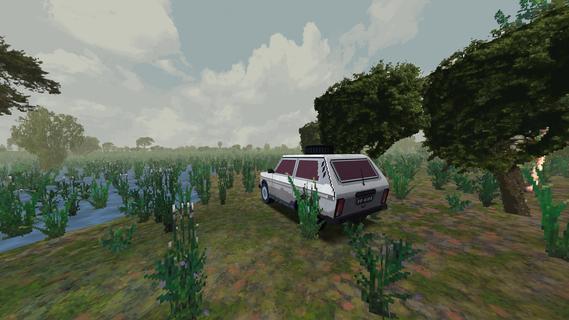
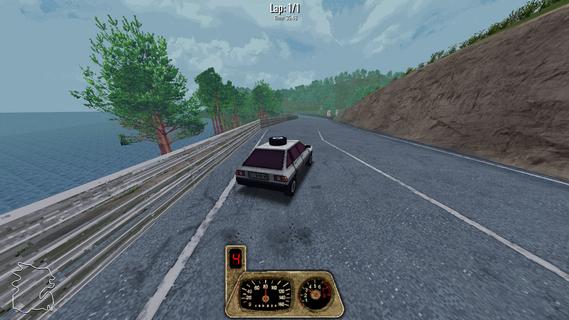
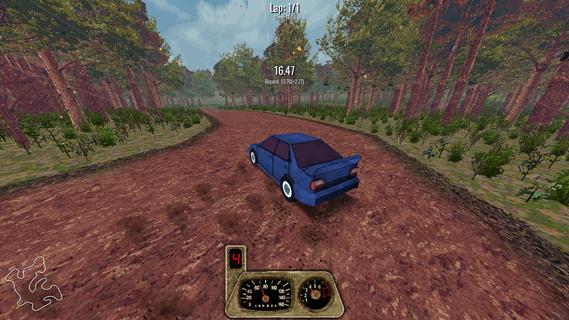
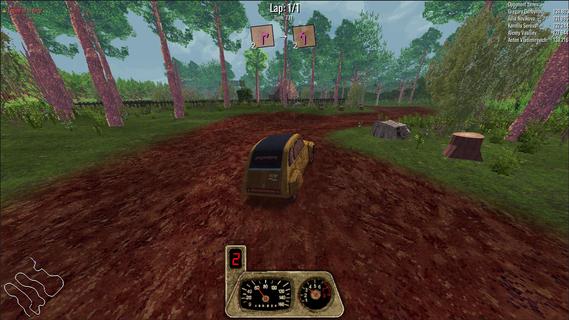
beaterCore is an arcade racing game for those who prefer cheap rusty beaters over specialized sports cars. Buy, repair, restore, and race your dream project carTake part in racing events and work your way through the career mode.GarageRepair your car in first person mode. Purchase furniture and stockpile as many spare parts as you can - you're going to need them.Field repairIn beaterCore you'll have to make quick repairs in-between races. Everything can go wrong, and you must be prepared for it! Store items in your car's trunk, but be wise with what you bring with you - space is limited.Split screenPlay locally with up to four players on the same screen. Keyboard controls are fully supported!MultiplayerIf career mode is not enough - you can always compete against your friends in online races. You're still going to need your resource management skills - multiplayer races affect your cars the same way as in career mode! Show off your pristine ride, or surprise your friends with track-specific tuning.Different times of yearExperience tracks across different times of year. Prepare your car for icy winter conditions or enjoy the warm, vibrant colors of autumn.
더보기

1. 설치 프로그램 다운로드 하시고 설치하십시오

2. 미뮤 실행하고 바탕화면에서 구글 플레이 시작

3. 구글 플레이에서 BeaterCore 검색
Install
4. BeaterCore 다운로드 하시고 설치해 주세요
5. 아이콘 클릭해 주세요

6. 미뮤 앱플레이어로 실행
미뮤 앱플레이어는 무료 안드로이드 에뮬레이터로 5천만명의 유저들에게 최고의 안드로이드 게임 환경을 제공하고 있습니다. 미뮤의 가상화 기술은 수많은 안드로이드 게임을 PC에서 원활하게 구동함과 동시에 최고의 그래픽 퍼포먼스를 느낄수 있습니다.
최상의 그래픽, 큰 스크린, 배터리, 데이터 걱정 완벽하게 해결.
키보드, 마우스 또는 게임패드를 사용하여 쾌적한 게임 플레이가 가능합니다..
미뮤 멀티를 이용하여 여러 개 게임과 앱을 멀티로 사용할 수 있습니다.
다음 절차에 따라 PC에서 BeaterCore을(를)플레이 할 수 있습니다.