Weather
업데이트 날짜
현재 버전
233
제공자

작은 휴대폰 화면에서 앱 사용에 지치셨나요? MEmu Play를 사용하면 큰 화면에서 앱을 경험할 수 있습니다! MEmu Play의 키보드와 마우스 기능은 앱의 숨겨진 잠재력을 깨워줍니다. 컴퓨터에 Weather 앱을 다운로드하고 설치하면 배터리 수명이나 과열 걱정 없이 좋아하는 앱을 즐길 수 있습니다. MEmu Play를 사용하면 컴퓨터에서 앱을 쉽게 사용할 수 있으며, 언제나 고품질 경험을 보장합니다!
더보기
PC에서 미뮤로 Weather 다운로드 하시고 큰 화면으로 플레이 즐기자 Weather is a beautiful and clean app, designed to be as simple to use as possible.
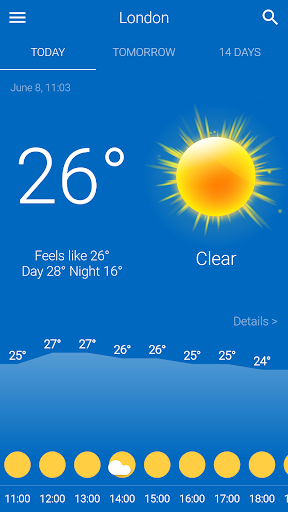
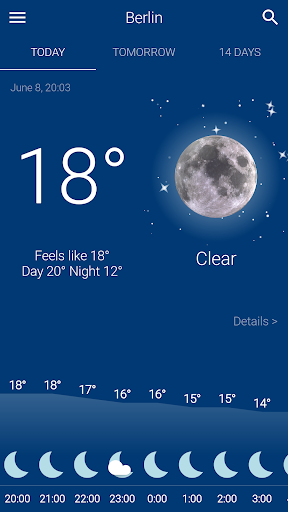
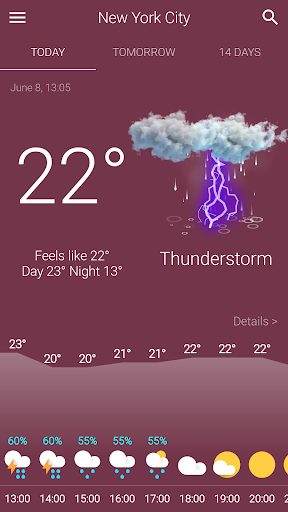
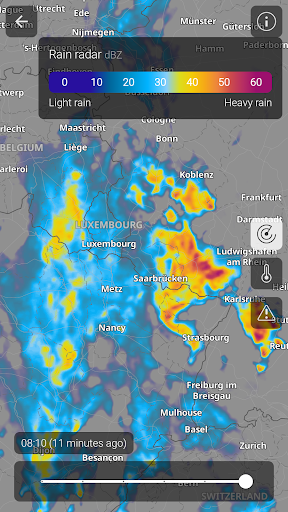
Weather is a beautiful and clean app, designed to be as simple to use as possible. With just one click you can check the weather for today, tomorrow and the forecast for the next 14 days.
The current weather for today and the forecast for tomorrow are gorgeously animated. See realistic rain, snow or thunderstorm, sun rays for clear days, the moon’s glow and the stars at night, moving clouds and more weather animations. They all reflect the weather making it come alive.
The background color changes to reflect and almost make you feel the weather. From light blue for clear days to darker grays for cloudy days you’ll know how’s the weather like with just one glance.
WEATHER FEATURES
● Current weather conditions and temperatures for today. Beautiful hourly graph for the next hours today and tonight.
● Easily check the weather forecast for tomorrow, including hourly.
● Extended 14 day forecast.
● Swipe down to view detailed weather conditions: humidity, dew point, UV index, visibility, chance of rain, animated wind, pressure and sunrise/sunset.
● Animated weather conditions for today and tomorrow.
● Automatically detects your location and retrieves the latest weather conditions for your current location.
● Add and track weather conditions for all your favorite cities and destinations
● Available in over 40 languages.
더보기

1. 설치 프로그램 다운로드 하시고 설치하십시오

2. 미뮤 실행하고 바탕화면에서 구글 플레이 시작

3. 구글 플레이에서 Weather 검색
Install
4. Weather 다운로드 하시고 설치해 주세요
5. 아이콘 클릭해 주세요

6. Memu Play에서 Weather 사용하기
MEmu Play는 5천만 명의 사용자에게 최고의 안드로이드 앱 경험을 제공하는 무료 안드로이드 에뮬레이터입니다. MEmu의 가상화 기술을 통해 최적의 그래픽 성능을 즐기면서 컴퓨터에서 수많은 안드로이드 앱을 원활하게 실행할 수 있습니다.
최상의 그래픽, 큰 스크린, 배터리, 데이터 걱정 완벽하게 해결.
키보드, 마우스 또는 게임패드를 사용하여 쾌적한 게임 플레이가 가능합니다..
미뮤 멀티를 이용하여 여러 개 게임과 앱을 멀티로 사용할 수 있습니다.
다음 절차에 따라 PC에서 Weather을(를)플레이 할 수 있습니다.