PDFViewer - Master
업데이트 날짜
현재 버전
1.1.2
제공자

작은 휴대폰 화면에서 앱 사용에 지치셨나요? MEmu Play를 사용하면 큰 화면에서 앱을 경험할 수 있습니다! MEmu Play의 키보드와 마우스 기능은 앱의 숨겨진 잠재력을 깨워줍니다. 컴퓨터에 PDFViewer - Master 앱을 다운로드하고 설치하면 배터리 수명이나 과열 걱정 없이 좋아하는 앱을 즐길 수 있습니다. MEmu Play를 사용하면 컴퓨터에서 앱을 쉽게 사용할 수 있으며, 언제나 고품질 경험을 보장합니다!
더보기
MEmu Play로 PC에서 PDFViewer - Master 을 사용하는 최고의 경험을 즐겨보세요. 강력한 무료 안드로이드 에뮬레이터로, 데스크톱 버전에서 수천 개의 안드로이드 앱을 사용할 수 있습니다. 친구들과 소통하고 더욱 효율적으로 작업물을 다듬어 보세요! PDFViewer - Master는 PDF 문서를 읽고, 스캔하고, 관리하는 데 도움을 주는 간단하고 실용적인 PDF 리더 앱입니다.
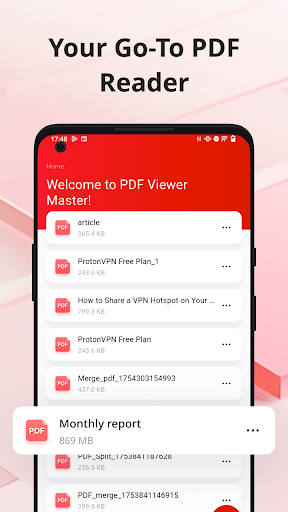
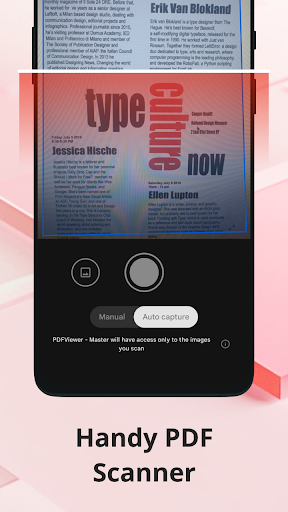
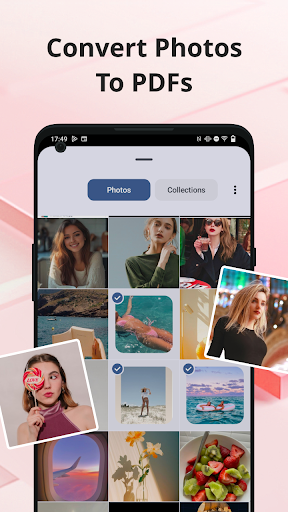
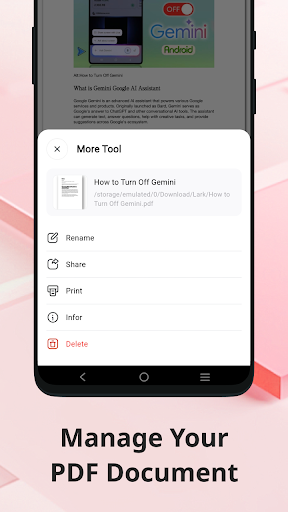
PDFViewer - Master는 PDF 문서를 읽고, 스캔하고, 관리하는 데 도움을 주는 간단하고 실용적인 PDF 리더 앱입니다.
PDF 문서 읽기
PDFViewer - Master를 일상적인 문서 및 파일 리더로 사용하세요. 업무 문서, 학습 자료, 개인 파일 등 어떤 PDF 파일이든 원활하게 열고 볼 수 있습니다.
사진 스캔 및 PDF 변환
내장된 PDF 스캐너를 사용하여 이미지를 PDF로 간편하게 변환하세요. 카메라로 문서를 스캔하거나 갤러리에서 이미지를 선택하여 PDF로 변환할 수 있습니다.
PDF 파일 관리
PDFViewer - Master는 문서 관리를 위한 가벼운 파일 관리 앱으로도 사용할 수 있습니다. 다음과 같은 기능을 제공합니다.
PDF 파일 이름 변경
더 이상 필요하지 않은 파일 삭제
PDF 파일 공유
PDF 문서 바로 인쇄
사용하기 쉬움
깔끔한 인터페이스 덕분에 업무, 학업, 개인적인 용도 등 누구나 쉽게 사용할 수 있습니다.
무료 PDF 리더, 사진 PDF 변환기, 간단한 문서 관리 앱을 찾고 있다면 PDFViewer - Master는 모든 PDF 문서를 한 곳에서 관리할 수 있는 실용적인 선택입니다.
더보기

1. 설치 프로그램 다운로드 하시고 설치하십시오

2. 미뮤 실행하고 바탕화면에서 구글 플레이 시작

3. 구글 플레이에서 PDFViewer - Master 검색
Install
4. PDFViewer - Master 다운로드 하시고 설치해 주세요
5. 아이콘 클릭해 주세요

6. Memu Play에서 PDFViewer - Master 사용하기
MEmu Play는 5천만 명의 사용자에게 최고의 안드로이드 앱 경험을 제공하는 무료 안드로이드 에뮬레이터입니다. MEmu의 가상화 기술을 통해 최적의 그래픽 성능을 즐기면서 컴퓨터에서 수많은 안드로이드 앱을 원활하게 실행할 수 있습니다.
최상의 그래픽, 큰 스크린, 배터리, 데이터 걱정 완벽하게 해결.
키보드, 마우스 또는 게임패드를 사용하여 쾌적한 게임 플레이가 가능합니다..
미뮤 멀티를 이용하여 여러 개 게임과 앱을 멀티로 사용할 수 있습니다.
다음 절차에 따라 PC에서 PDFViewer - Master을(를)플레이 할 수 있습니다.