PDF Reader : View, Edit & Scan PC

PDF Reader : View, Edit & Scan PC 다운로드

PDF Reader : View, Edit & Scan PC

PDF Reader : View, Edit & Scan

  • 업데이트 날짜

  • 현재 버전

    1.1.1

  • 제공자

    PDF Reader : View, Edit & Scan PC

PC에서 PDF Reader : View, Edit & Scan 의 특징

작은 휴대폰 화면에서 앱 사용에 지치셨나요? MEmu Play를 사용하면 큰 화면에서 앱을 경험할 수 있습니다! MEmu Play의 키보드와 마우스 기능은 앱의 숨겨진 잠재력을 깨워줍니다. 컴퓨터에 PDF Reader : View, Edit & Scan 앱을 다운로드하고 설치하면 배터리 수명이나 과열 걱정 없이 좋아하는 앱을 즐길 수 있습니다. MEmu Play를 사용하면 컴퓨터에서 앱을 쉽게 사용할 수 있으며, 언제나 고품질 경험을 보장합니다!

더보기

PDF Reader : View, Edit & Scan PC 스크린샷 & 비디오

MEmu Play로 PC에서 PDF Reader : View, Edit & Scan 을 사용하는 최고의 경험을 즐겨보세요. 강력한 무료 안드로이드 에뮬레이터로, 데스크톱 버전에서 수천 개의 안드로이드 앱을 사용할 수 있습니다. 친구들과 소통하고 더욱 효율적으로 작업물을 다듬어 보세요! Need an easier way to work with PDF files?
신청 정보

Need an easier way to work with PDF files? AI PDF Tools: Sign & Fill Form helps you read, edit, scan, create, and sign documents with practical tools for everyday use. Read with a pdf reader, make quick changes with a pdf editor, and handle your files without switching between different tools.
MAIN FEATURES:


Read & Manage PDFs
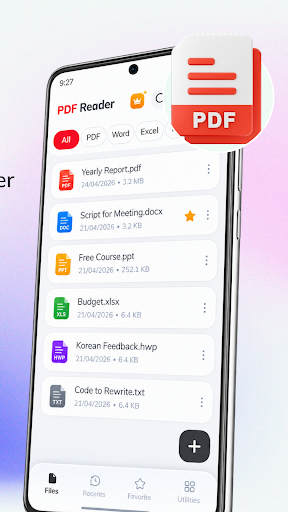
- Open documents with a smooth pdf reader.
- Search content, jump to pages, adjust text size, or use auto scroll.
- Use the document reader to access recent and favorite files quickly.
- Manage your documents with a simple file manager.
- Rename, sort, share, or delete files whenever needed.

Edit PDF Files
- Use the pdf editor to add text, highlight content, draw, and annotate pages.
- Make quick changes when you need to edit pdf files.
- Write on pdf files to add notes or important details.
- Crop or rotate pages before saving or sharing your documents.

Scan Paper Documents
- Turn paper files into digital documents with a practical pdf scanner.
- Capture pages with your camera, then crop, rotate, filter, and adjust each scan.
- Use the document scanner to digitize receipts, forms, notes, and other paperwork.
- Save scanned pages with scan to pdf for easy access and sharing.

Create & Convert PDFs
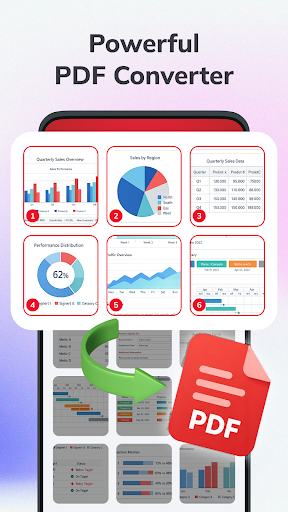
- Use the pdf converter to create PDFs from text, images, or web pages.
- Turn pictures into documents with photo to pdf.
- Convert images with an image to pdf converter.
- Create text documents with text to pdf.
- Save useful web pages with web to pdf.
- Turn PDF pages into images with a pdf to image converter.

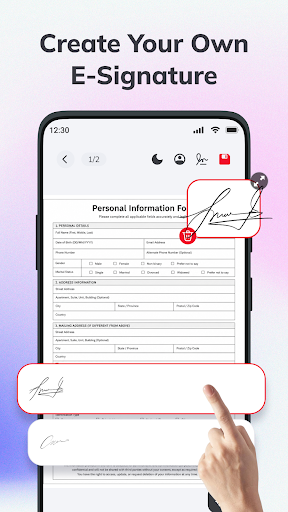
Sign & Fill Forms
- Create and save your electronic signature for quick use.
- Add your signature to documents with pdf sign tools.
- Use a pdf signer to sign documents digitally.
- Fill out forms with fill and sign without printing them.
- Use the pdf filler to add information directly to forms.

More PDF Tools
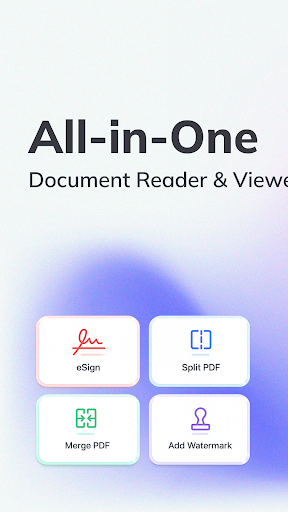
- Combine files with merge pdf or use a pdf merger to organize documents.
- Split and compress PDFs, or add watermarks when needed.
- Protect files with lock pdf, then print or share them with ease.

Make everyday PDF tasks easier with AI PDF Tools: Sign & Fill Form. Read, edit, scan, convert, and sign your documents whenever you need them.

더보기

PC에 PDF Reader : View, Edit & Scan 다운로드

  • PDF Reader : View, Edit & Scan PC

    1. 설치 프로그램 다운로드 하시고 설치하십시오

  • PDF Reader : View, Edit & Scan PC

    2. 미뮤 실행하고 바탕화면에서 구글 플레이 시작

  • PDF Reader : View, Edit & Scan PC

    3. 구글 플레이에서 PDF Reader : View, Edit & Scan 검색

  • PDF Reader : View, Edit & Scan PC Install

    4. PDF Reader : View, Edit & Scan 다운로드 하시고 설치해 주세요

  • PDF Reader : View, Edit & Scan PC

    5. 아이콘 클릭해 주세요

  • PDF Reader : View, Edit & Scan PC
    PDF Reader : View, Edit & Scan PC PDF Reader : View, Edit & Scan PC

    6. Memu Play에서 PDF Reader : View, Edit & Scan 사용하기

MEmu Play를 선택해야 하는 이유?

MEmu Play는 5천만 명의 사용자에게 최고의 안드로이드 앱 경험을 제공하는 무료 안드로이드 에뮬레이터입니다. MEmu의 가상화 기술을 통해 최적의 그래픽 성능을 즐기면서 컴퓨터에서 수많은 안드로이드 앱을 원활하게 실행할 수 있습니다.

  • 최상의 그래픽, 큰 스크린, 배터리, 데이터 걱정 완벽하게 해결.

  • 키보드, 마우스 또는 게임패드를 사용하여 쾌적한 게임 플레이가 가능합니다..

  • 미뮤 멀티를 이용하여 여러 개 게임과 앱을 멀티로 사용할 수 있습니다.

사용할 준비가 되셨나요?

인기 카테고리

PDF Reader : View, Edit & Scan - FAQs

  • PC에서 PDF Reader : View, Edit & Scan을(를) 플레이 하는 방법?

    다음 절차에 따라 PC에서 PDF Reader : View, Edit & Scan을(를)플레이 할 수 있습니다.

    • 미뮤 PC 앱플레이어를 다운로드하세요.PDF Reader : View, Edit & Scan 검색하세요.
    • 구글 플레이 스토어 로그인 후 PDF Reader : View, Edit & Scan 검색하세요.
    • PDF Reader : View, Edit & Scan 설치 후 실행하여 플레이
  • PDF Reader : View, Edit & Scan PC 최소 요구 사양?
    • OS: 마이크로소프트 윈도우 7 이상
    • 프로세서: Intel 또는 AMD 프로세서
    • OpenGL 2.0을 탑재한 Windows DirectX 11 / Graphic 드라이버
    • 하드웨어 가상화 기술(Intel VT-x/AMD-V)을 사용하도록 설정
    • 2GB RAM(x64 시스템의 경우 4GB) 이상
    • 5GB의 하드 디스크 여유 공간
    • HDD: 5GB의 여유 디스크 공간.
lyzs
lyzs