Movie Box DramaPlay & Shows
업데이트 날짜
현재 버전
제공자

작은 휴대폰 화면에서 앱 사용에 지치셨나요? MEmu Play를 사용하면 큰 화면에서 앱을 경험할 수 있습니다! MEmu Play의 키보드와 마우스 기능은 앱의 숨겨진 잠재력을 깨워줍니다. 컴퓨터에 Movie Box DramaPlay & Shows 앱을 다운로드하고 설치하면 배터리 수명이나 과열 걱정 없이 좋아하는 앱을 즐길 수 있습니다. MEmu Play를 사용하면 컴퓨터에서 앱을 쉽게 사용할 수 있으며, 언제나 고품질 경험을 보장합니다!
더보기
MEmu Play로 PC에서 Movie Box DramaPlay & Shows 을 사용하는 최고의 경험을 즐겨보세요. 강력한 무료 안드로이드 에뮬레이터로, 데스크톱 버전에서 수천 개의 안드로이드 앱을 사용할 수 있습니다. 친구들과 소통하고 더욱 효율적으로 작업물을 다듬어 보세요! Enjoy a smooth and powerful video playback experience with our Movie Box DramaPlay & Shows app.

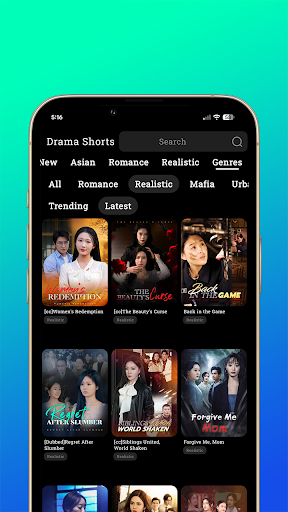
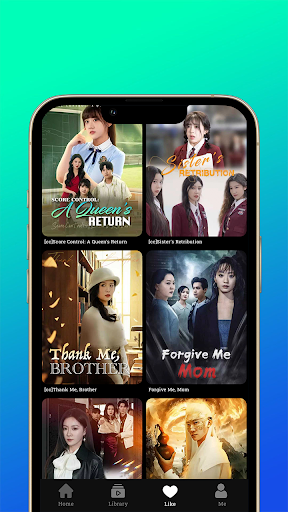
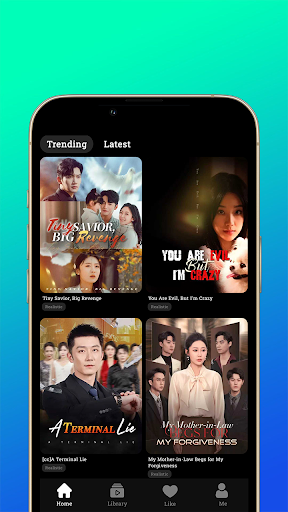
Enjoy a smooth and powerful video playback experience with our Movie Box DramaPlay & Shows app. Watch all your favorite videos in high quality with fast performance and an easy-to-use interface.
Supports all major video formats
HD & Full HD playback
Fast, smooth, and lightweight
Easy controls & user-friendly design
Play videos anytime, anywhere without interruptions. Designed for a seamless entertainment experience.
Disclaimer
This app is a standalone video player and does not host, upload, or provide any copyrighted content. Users are responsible for the media they play within the app.
The Movie Box DramaPlay & Shows app only provides a platform to play locally stored or user-accessed content.
© Credits
All content, trademarks, and media belong to their respective owners.
This app does not claim ownership of any third-party content.
더보기

1. 설치 프로그램 다운로드 하시고 설치하십시오

2. 미뮤 실행하고 바탕화면에서 구글 플레이 시작

3. 구글 플레이에서 Movie Box DramaPlay & Shows 검색
Install
4. Movie Box DramaPlay & Shows 다운로드 하시고 설치해 주세요
5. 아이콘 클릭해 주세요

6. Memu Play에서 Movie Box DramaPlay & Shows 사용하기
MEmu Play는 5천만 명의 사용자에게 최고의 안드로이드 앱 경험을 제공하는 무료 안드로이드 에뮬레이터입니다. MEmu의 가상화 기술을 통해 최적의 그래픽 성능을 즐기면서 컴퓨터에서 수많은 안드로이드 앱을 원활하게 실행할 수 있습니다.
최상의 그래픽, 큰 스크린, 배터리, 데이터 걱정 완벽하게 해결.
키보드, 마우스 또는 게임패드를 사용하여 쾌적한 게임 플레이가 가능합니다..
미뮤 멀티를 이용하여 여러 개 게임과 앱을 멀티로 사용할 수 있습니다.
다음 절차에 따라 PC에서 Movie Box DramaPlay & Shows을(를)플레이 할 수 있습니다.