GBWhats Latest Version 19
업데이트 날짜
현재 버전
1.1
제공자

작은 휴대폰 화면에서 앱 사용에 지치셨나요? MEmu Play를 사용하면 큰 화면에서 앱을 경험할 수 있습니다! MEmu Play의 키보드와 마우스 기능은 앱의 숨겨진 잠재력을 깨워줍니다. 컴퓨터에 GBWhats Latest Version 19 앱을 다운로드하고 설치하면 배터리 수명이나 과열 걱정 없이 좋아하는 앱을 즐길 수 있습니다. MEmu Play를 사용하면 컴퓨터에서 앱을 쉽게 사용할 수 있으며, 언제나 고품질 경험을 보장합니다!
더보기
PC에서 미뮤로 GBWhats Latest Version 19 다운로드 하시고 큰 화면으로 플레이 즐기자 gbwhattsapp is a provider which provides this mod.
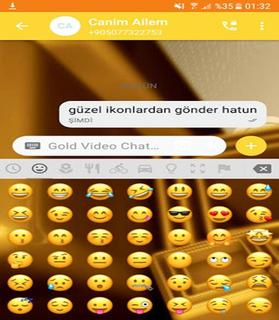

gbwhattsapp is a provider which provides this mod. You can download it from his site. As we all know the popularity of gbwhatts 2018. . gbwhatts Latest Version is available for gbwhatts Latest Version and Andrid platform. You can run it on PC also using gbwhattsaaapp web. It is easily accessible and you are needed to scan a QR code which is displayed on your PC’s screen, using your mobile.Features of gbwhatts:* You can change gbwhattsapp icon and set its notifications settings too.* You can set group name instead of 35 characters* You can put characters of 255 characters instead of 139 characters.* You can send images up to 90 in one click instead of 10 images..• Barcode Scanner.• Flashlight supported for low-light environments. • Nice and simple User Interface.• You can use same chat account on mobiles and tablets.• Whats web - Double chat, double the fun!• Simple way to use• Also provide you to all information about to how scan QR codeYou can easily run it on your Android device and you don’t have to root your device. There are a lot of things that you can do with this mod. You can hide your last seen, Hide Second tick, Hide Blue Tick, etc.How to Download gbwhatts app:For Android* Make sure that the default search engine of your browser is set to Google, Bing, etc. Why? Because you can trust them.* In the search bar, type gbwhatts App APK download” and click on the search button of the browser.* GB whats app APK download* The first step is to open a preferred browser on your Android device. It could be any browser. You can use your default browser.* Once you get all the search results, you can choose any one, which you find authentic and trustable with good reviews. Click on it to enter that website.* In the website, try to find the ‘download’ button. Be careful, as there can be two or more ‘Download’ buttons. Press the one, which has no Ads and does not blinking. So after clicking, you will be asked by your browser to start the downloading process. Click Download and then the downloading will start. Wait till downloading process takes place. You can close the browser when you file will get downloaded.Things that are App Account Additional features:- Support each mobile (All devices)- Quicker load (Cache support)- 110% Zoomed to get more awareness- password Lock and Landscape Portrait Mode Reinforced hindi.- parallel two accounts & Messenger like feature saver.* Installation Guide For gbwhattsapp* Go to settings-> security and check ‘Unknown Sources’.* Once you got your APK, follow the next instructions.There is another way to download GBwhat app’s APK. Torrent is a good option but to use it, you have to be regular on it. It is not recommended for the beginners to try this as they will get confused in the torrent world and will end in giving up on downloading this game. So it is better for you to follow these above instructions if you don’t know, how to download a file from a torrent site* After installation, check menu for fmwhat app. Enjoy.* Go to the ‘Download’ folder and here you will find gbwhatts app’s APK.* Click on it and then click on install button.Verdict:This is a good app. It is not directly available for android but you can run it using the steps that are given above. There are many features and on an easy say, it will basically save your time and can do things in a much simpler way. There are also some super cool gbwhatts themes available for Android devices. You will get fresh look in the app easily.Note : This app is a third party app and is affiliated to Whatsapp.This app is used by everyone. GB Whats Latest Version is available for gbwhatts and Android platform.Note : This app is a third party app and is not affiliated to Whatsapp.This app is used by everyone. GB Whats Latest Version is available for gbwhattsaappp and Android platform.
더보기

1. 설치 프로그램 다운로드 하시고 설치하십시오

2. 미뮤 실행하고 바탕화면에서 구글 플레이 시작

3. 구글 플레이에서 GBWhats Latest Version 19 검색
Install
4. GBWhats Latest Version 19 다운로드 하시고 설치해 주세요
5. 아이콘 클릭해 주세요

6. Memu Play에서 GBWhats Latest Version 19 사용하기
MEmu Play는 5천만 명의 사용자에게 최고의 안드로이드 앱 경험을 제공하는 무료 안드로이드 에뮬레이터입니다. MEmu의 가상화 기술을 통해 최적의 그래픽 성능을 즐기면서 컴퓨터에서 수많은 안드로이드 앱을 원활하게 실행할 수 있습니다.
최상의 그래픽, 큰 스크린, 배터리, 데이터 걱정 완벽하게 해결.
키보드, 마우스 또는 게임패드를 사용하여 쾌적한 게임 플레이가 가능합니다..
미뮤 멀티를 이용하여 여러 개 게임과 앱을 멀티로 사용할 수 있습니다.
다음 절차에 따라 PC에서 GBWhats Latest Version 19을(를)플레이 할 수 있습니다.